Direct Answer
A WordPress website maintenance provider you can trust handles daily security monitoring, applies updates within 48 hours, includes hack cleanup without extra fees, and operates without locking you into annual contracts. Bochi Web’s service model runs at $45/month with email-first support—we take care of backups, plugin updates, and uptime checks while sending monthly reports that prove the work got done.
What Should WordPress Maintenance Actually Include?
Most providers use “maintenance” to describe whatever they happen to offer. But real WordPress maintenance includes specific tasks done on predictable schedules, not just emergency fixes when your site crashes. Here’s what should be covered without you having to ask.
The Difference Between Maintenance and Management
Maintenance means keeping your site running and secure. Management adds content updates and page edits. Many companies blur these lines to make their services sound more comprehensive than they are. If you’re paying for WordPress website maintenance service, you should get these core tasks:
- WordPress plugin updates applied within 48 hours of release
- Daily security monitoring with malware scanning
- Automated backups with offsite storage you can access
- Uptime monitoring with immediate alerts if your site goes down
- Broken link checks and error logging reviewed weekly
- Hack cleanup included without upselling into a crisis plan
- Monthly report showing what was actually done
WordPress security monitoring shouldn’t mean someone logs in once a month to check if your site’s still there. It means automated systems watching for intrusion attempts, suspicious file changes, and vulnerability announcements. WordPress plugin updates need to happen fast because that’s how most sites get compromised—through outdated plugins with known security holes.
Why Hack Cleanup Should Be Included, Not Extra
Hack cleanup is malware removal, security patching, and site restoration after a WordPress security breach. Some providers treat this like insurance companies treat flood damage—they’ll tell you it’s a separate service after you need it. Here’s the thing: if a provider is doing proper WordPress backup service and security monitoring, they should stand behind their work when something gets through.
“A trustworthy WordPress maintenance provider monitors security daily, applies updates within 48 hours, and includes hack cleanup without upselling you into a crisis plan.”
We’ve seen providers charge $800 for emergency cleanup on sites they were supposedly maintaining. That’s not service—that’s waiting for you to have a crisis. Real WordPress maintenance includes proactive monitoring and fast updates, not just emergency fixes when something breaks.
See exactly what’s included in our WordPress maintenance plans—no contracts, hack cleanup handled, monthly reports sent.
How Do You Know They’re Actually Doing the Work?

A monthly report is documented proof of completed maintenance tasks, updates applied, and security checks performed that separates reliable providers from vendors who vanish after billing. If you’re paying someone to maintain your WordPress site, you shouldn’t have to trust blindly. You should get evidence.
Monthly reports aren’t a courtesy—they’re proof your provider is actually doing the work you’re paying for. And honestly? Most providers who don’t send detailed reports aren’t doing much beyond collecting your payment.
What a Real Monthly Report Should Include
A proper WordPress monthly report gives you website maintenance transparency without requiring technical knowledge. Here’s what you should receive every 30 days:
- Update logs showing which plugins, themes, and WordPress core versions were updated with exact dates
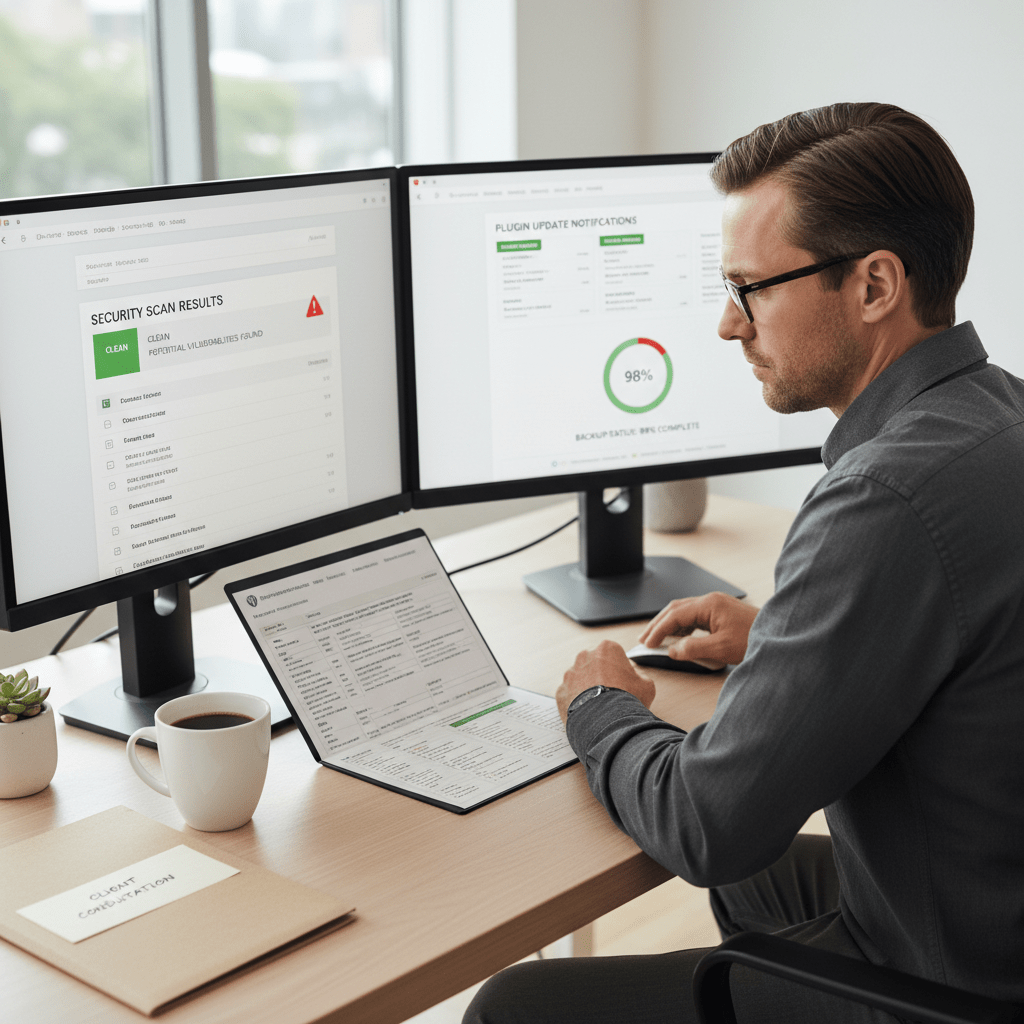
- Security scan results documenting threats detected and how they were resolved
- Uptime statistics showing whether your site stayed online or experienced downtime
- Backup confirmations with timestamps proving your data is protected
- Performance metrics tracking site speed and load times
- Action items if anything needs your attention or approval
We send these reports by email, which creates an accountability trail you can reference anytime. No logging into a dashboard. No chasing down information. Just clear WordPress maintenance documentation that shows what happened on your site.
Response time matters too. When you email about a broken contact form or a plugin conflict, you should get a reply within one business day—not radio silence until something breaks. Transparency through monthly reports and clear response times separates professional providers from reactive vendors.
So when you’re figuring out how to choose a WordPress maintenance provider I can trust, ask to see a sample report before you sign up. If they can’t show you one, that tells you everything.
Are They Actually Touching Your Site or Just Reselling Someone Else’s Work?

Managed WordPress services is ongoing technical care handled by a dedicated team that performs updates, monitors security, and maintains your site’s performance. But here’s what most business owners don’t realize: many companies selling WordPress management don’t actually do the work themselves.
They’re brokers. They take your money, mark it up 40-60%, and farm the work out to freelancers on Upwork or Fiverr.
You can spot resellers by asking one simple question: “Who actually logs into my site?” If they dodge with vague answers about “our network of specialists” or “our partner technicians,” that’s your answer. A WordPress support team working directly on your site will tell you exactly who handles what—because they actually know.
Questions That Expose Resellers
Response time reveals everything. Direct WordPress management providers can give you specific timeframes because they control their own staff. Resellers can’t, because they’re waiting on someone else to respond to them first.
Ask about their infrastructure too. Companies with self-hosted monitoring systems and custom dashboards built their own tools. Resellers use white-labeled platforms they don’t control. There’s nothing wrong with WordPress website design firms that partner with specialists—but you should know if you’re paying agency prices for freelancer work.
If a WordPress provider won’t tell you their average response time or whether they handle your site directly versus outsourcing, you’re looking at a reseller, not a partner. We built our own command center specifically because we handle every site ourselves—no middlemen, no markup on someone else’s labor.
Want to work with a team that actually touches your site? We manage over 200 WordPress sites directly— no brokers, no outsourcing.
Why Contract Length Tells You Everything About Confidence
Ask about contracts and you’ll learn everything about how to choose a WordPress maintenance provider I can trust. Here’s what most companies won’t tell you: long-term commitments protect the provider, not you.
A twelve-month WordPress maintenance contract means you’re locked in even when response times slip, updates get delayed, or that promised monthly report arrives three weeks late. And you can’t leave without penalties. Month-to-month providers earn your business every single billing cycle—they have to deliver because you can walk anytime.
The best WordPress maintenance contracts have no long-term commitment—providers confident in their work don’t need to lock you in. We’ve managed over 200 WordPress websites without requiring annual contracts since we started in 2014. When a dental practice in Des Moines or an HVAC company running their site stays with you for years without a contract, that tells you something about the service quality.
Most no contract WordPress support arrangements fail because providers can’t maintain consistent quality at scale. But contract length reveals confidence—providers who deliver results don’t need year-long commitments. They keep clients through performance, not paperwork.
So ask every potential provider: “What’s your client retention rate?” If they hesitate or dodge the question, that’s your answer. Then ask: “Can I cancel anytime without penalty?” The monthly WordPress maintenance model only works when you’re confident clients will stay because your work is solid. We operate that way because our sites stay updated, secure, and functional—not because anyone signed a binding agreement.
What Should You Actually Expect to Pay?

Most providers blur the line between maintenance and management because it lets them upsell you on features you already think you’re getting. So here’s the breakdown you need when comparing WordPress maintenance cost options.
Maintenance vs Management: What’s the Difference?
Maintenance covers the technical stuff: plugin updates, security monitoring, backups, and uptime checks. You’re paying someone to keep WordPress running. Management adds content work—editing pages, swapping images, updating business hours, fixing broken forms. That dentist in Des Moines who needs someone to update their staff bios? That’s management territory.
Based on our experience managing over 200 WordPress sites nationally, maintenance runs $45-75/month, and WordPress website management services that include content updates run $75-150/month. Anything higher better include custom development or active marketing support.
| Service Level | What’s Included | Typical Price Range |
|---|---|---|
| Maintenance Only | Updates, security, backups, monitoring | $45-75/month |
| Management | Maintenance + content edits, page changes | $75-150/month |
| Full Service | Management + development, marketing support | $150-300/month |
When Cheap Actually Means Cheap (and When It Doesn’t)
Pricing under $100/month is realistic for maintenance if the provider owns their infrastructure and doesn’t resell services. We run our own servers and built our own command center for managing client sites—that’s how we deliver affordable WordPress support at $45/month for maintenance and $75/month for management.
Red flags? Providers charging $500/month for basic updates, setup fees that equal six months of service, or anyone who can’t explain their WordPress management pricing in plain terms. If they’re dodging the breakdown, you’re subsidizing their bloated overhead or paying for a middleman who’s farming the actual work to contractors.
Bochi Web manages over 200 WordPress sites without contracts, with hack cleanup included in every plan starting at $45/month—because trust is earned monthly, not signed annually.
That HVAC contractor in Louisville and that chiropractor in Phoenix shouldn’t pay wildly different prices for the same maintenance work. The work’s identical whether your site’s hosted in Kentucky or Arizona.
The Questions That Separate Real Providers from Vendors
You shouldn’t have to decode sales talk to figure out who’s actually capable. Ask these eight questions before you sign anything, and pay attention to how comfortable they are answering directly.
What’s your average response time for urgent issues? Real providers will give you a number—4 hours, 8 hours, next business day. Vague answers like “as soon as possible” mean they don’t track it.
Who actually logs into my site to do the work? If they can’t tell you whether it’s an in-house tech or an overseas contractor they’ve never met, that’s your answer.
Is hack cleanup included or an upsell? This reveals their business model. We include it at $45/month because hacks shouldn’t cost you $500 to fix.
Do you send monthly reports showing completed work? If they say “you can log in anytime to check,” they’re not sending reports because they’re not doing consistent work.
What’s your cancellation policy? No-contract providers are confident in their service quality. Long commitments protect them, not you.
Do you own your infrastructure or white-label someone else’s? Resellers can’t control quality or response times. We built our own command center in Marion, Iowa specifically to manage over 200 client sites directly.
Can I see an example monthly report? This WordPress maintenance checklist question makes vendors uncomfortable fast.
What happens if my site breaks after an update? The answer should be “we fix it immediately at no charge,” not “that’s outside our scope.”
The providers worth trusting will answer all eight questions directly—vague responses or deflection means you’re talking to someone who can’t deliver. The quality of answers to these questions reveals whether you’re dealing with a professional partner or a sales operation.
Common Questions About Choosing a WordPress Maintenance Provider
How much should I pay for WordPress maintenance?
Basic WordPress maintenance—plugin updates, security monitoring, backups—typically costs $45-75/month. Management plans that include content updates range from $75-150/month. Pricing over $200/month usually means you’re paying for resold services or inflated overhead. Bochi Web charges $45/month for maintenance and $75/month for management, with hack cleanup included in both.
What’s the difference between WordPress maintenance and WordPress management?
WordPress maintenance covers technical care: plugin updates, security monitoring, backups, and uptime checks. WordPress management includes maintenance plus content updates like adding pages, changing text, uploading images, and handling client requests. Maintenance keeps your site running; management keeps it current. If you’re still editing your own site after hours, you need wordpress website management services instead of just maintenance.
Should I sign an annual contract for WordPress support?
No. Quality WordPress providers operate month-to-month because they earn retention through results, not contracts. Annual agreements lock you in even if service declines. Based on our experience managing over 200 sites since 2014, contracts are a red flag that a provider doubts their own ability to deliver consistent value. We don’t use contracts—clients stay because the work gets handled, not because they’re contractually obligated.
Is hack cleanup usually included in WordPress maintenance?
It should be, but most providers charge $500-2,000 as a separate emergency service. This creates a perverse incentive to underinvest in security monitoring. Trustworthy providers include hack cleanup because preventing and fixing breaches is part of maintaining a secure site. Bochi Web includes hack cleanup in every maintenance and management plan.
How can I tell if a WordPress company actually does the work or outsources it?
Ask: “Who logs into my site to perform updates?” and “What’s your average response time?” Vague answers or 24-48 hour response times suggest they’re brokering work to freelancers. Direct providers can name their tools, show you their command center, and typically respond within hours. We use self-hosted infrastructure in Marion, Iowa and handle all work in-house.
What should a monthly WordPress maintenance report include?
A real monthly report documents plugin and theme updates applied, security scans completed, backup verification, uptime statistics, broken links fixed, and any issues resolved. It’s proof the work happened. If your provider doesn’t send monthly reports, they’re probably not doing much. The key takeaway: reliable WordPress providers demonstrate their value through transparent monthly reporting and month-to-month service that proves itself every billing cycle.
Phil Bochi
Owner, Bochi Web
Phil Bochi runs Bochi Web, a website management, maintenance, and local SEO company for small businesses across the U.S. and Canada. He writes about practical website help for business owners who want their site handled — not explained.